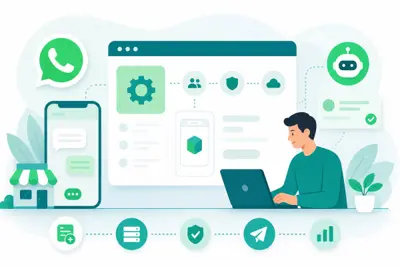
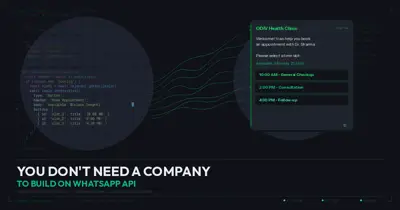
WhatsApp coexistence is Meta's official feature that lets a business keep using the free WhatsApp Business App on a phone while the same number is also connected to the WhatsApp Cloud API for automation, CRM and broadcasts. You don't need to migrate away from the app or write any code; you connect the number through embedded signup on a WhatsApp API platform and both the app and the API work on the same number at once.
If you have been running your shop or clinic on the WhatsApp Business App and now want automation, a shared team inbox, or broadcast messages, you don't have to give up the app you already know. WhatsApp coexistence lets your phone app and a WhatsApp API platform share the same business number at the same time. No developer, no migration headache, no lost chat history.
What exactly is WhatsApp coexistence?
For years, businesses had only two choices on WhatsApp: the free Business App (good for solo owners answering chats on their own phone) or the WhatsApp Business API (needed for automation, multiple agents, and bulk messaging, but it used to mean losing the app entirely once you moved). In 2024, Meta rolled out coexistence, which removes that either-or choice. Your existing number stays active in the Business App and gets connected to the Cloud API simultaneously, so messages, contacts and up to a chunk of your recent chat history sync across both.
In plain terms: your staff can still reply from the app on a phone at the counter, while your CRM, chatbot and broadcast tool handle the same number in the background.
How is coexistence different from a full API migration?
A full migration moves your number completely to the API. The Business App stops working on that number, and every reply has to happen through whatever software you plug in. That's fine for a call-centre style setup, but it scares off a lot of small business owners who like glancing at WhatsApp on their own phone.
Coexistence keeps both alive together. Think of it as adding a second brain to your existing number rather than replacing the original one. You get:
- Automation and chatbot replies running through the API for FAQs, order status, catalog sharing
- Your team still chatting normally from the app for personal or sensitive conversations
- One shared number, so customers never notice a switch happened
- A softer, lower-risk way to test the API before deciding to go fully API-only later
Can I really connect the app to the API without coding?
Yes. This used to require a developer to hit Meta's endpoints directly. Today, WhatsApp API platforms (ODIV Engage included) have built embedded signup flows right into their dashboard. You click a button, log in with your Facebook Business Manager account, pick the WhatsApp number linked to your Business App, and approve the connection. Meta handles the technical handshake behind the scenes.
There is no API key to copy-paste, no webhook to configure, and no code editor involved. The whole thing usually takes 10 to 15 minutes if your Meta Business Manager and Facebook Page are already set up correctly.
What are the actual steps to enable coexistence?
- Make sure your WhatsApp Business App number is on the latest app version and your Facebook Business Manager account is verified (business name, address, category filled in correctly).
- Log into your chosen WhatsApp API platform and start the 'Connect WhatsApp' or embedded signup flow from the dashboard.
- Sign in with the Facebook account that manages your Business Manager, and grant the requested permissions for WhatsApp Business Management and Messaging.
- Select 'coexistence' or 'keep using the app' when prompted, rather than the full migration option.
- Choose the phone number already active on your Business App. The platform will send an OTP or confirmation to verify ownership.
- Wait for the sync to complete. Recent chat history (usually the last several weeks) and contacts carry over automatically.
- Test by sending a message to your own number from another phone and confirm it shows up both in the app and in your new dashboard's inbox.
Back up anything important from your WhatsApp Business App chats first. Coexistence syncs recent history well, but very old chats or large media may not transfer completely, so don't assume everything moves over on day one.
What breaks and what stays the same after coexistence?
This is the part owners worry about most, so let's be direct.
What stays the same: your phone number, your green tick or business profile if you already had one, your existing contacts, and the ability to keep replying manually from the app whenever you want.
What changes: once the API is connected, any automated flow, chatbot, or broadcast you set up on the API side will also send messages from that same number. If your team replies manually in the app to a chat that a bot is also watching, there can be a small overlap unless the platform is built to detect human replies and pause automation, which good platforms do. Also, WhatsApp's 24-hour customer service window rules and template message rules apply the same way they do on any API number, coexistence doesn't change Meta's messaging policies.
Who genuinely needs coexistence versus a straight API setup?
Coexistence suits a specific kind of business really well: a shop, salon, clinic or small D2C brand where the owner or a couple of staff still like personally replying to regulars, but the business has grown enough that broadcast campaigns, catalog sharing, and automated order updates would save real time. A single-location kirana store scaling into online orders, or a boutique salon handling appointment reminders alongside personal chats, are classic fits.
If you already run a call-centre style support team where every reply must go through a CRM for tracking and compliance, a full API migration without the app running alongside is usually cleaner. Coexistence is the bridge, not necessarily the permanent destination for every business.
Coexistence isn't a compromise, it's a runway. It lets a business test automation on real customers without betting the whole number on it.
How does ODIV Engage make this easier?
ODIV Engage runs on the official WhatsApp Cloud API, and the coexistence connection is built directly into onboarding. You go through embedded signup from inside the ODIV dashboard, pick your existing Business App number, and within minutes you have a shared team inbox pulling in the same chats your app already shows. From there, you can layer on what actually needed the API in the first place: the Vibe Bot Builder for a DIY or AI-assisted chatbot answering FAQs, the Automations Builder for order confirmations and reminders, broadcast campaigns for festival offers, and WhatsApp catalog and cart for taking orders directly in chat, all without touching a line of code.
Your staff can keep replying from the phone app for personal touch conversations while ODIV's inbox, AI Agents and automation quietly handle the repetitive stuff in the background, order status, appointment confirmations, catalog links, and broadcast blasts to your customer list. If you want to try this on your own number, ODIV Engage has plans starting from as little as Rs 70 a month for focused use cases, or Rs 999 a month for the full platform. Head to the pricing page, start a free trial, and see how coexistence looks on your actual business number before committing to anything bigger.
Check current plans and start your trial at https://engage.odivend.com/pricing.