You opened WhatsApp Business this morning and saw a red banner. Or worse — you tried to message a new lead and nothing went through. Your number is restricted. Maybe permanently banned.
If you've been using a Chrome extension to blast bulk messages on WhatsApp, this wasn't bad luck. It was inevitable.
In 2025, Meta dramatically increased automated detection of unofficial bulk messaging behaviour. Thousands of Indian and global businesses discovered — the hard way — that the shortcut they'd been using was quietly building a case against them. This post explains exactly how those tools work, how Meta catches them, what happens when they do, and what the only safe alternative actually looks like.
The Grey Market That Grew Up Around WhatsApp
WhatsApp has over 535 million monthly active users in India alone. For small business owners, it's the most direct channel they have to their customers. But the official WhatsApp Business app caps broadcast lists at 256 contacts, requires every recipient to have saved your number, and offers no scheduling or automation.
That gap created a thriving grey market.
Dozens of Chrome extensions appeared in the Chrome Web Store, marketed as "WhatsApp CRM tools", "bulk message schedulers", or "contact managers." They let you upload a CSV, type a message, set a delay timer, and hit send — reaching thousands of contacts through WhatsApp Web, entirely outside Meta's official infrastructure.
The pitch was compelling. The extensions were listed in the official Chrome Web Store, which many buyers assumed meant they were vetted and safe. They weren't.
How the Extensions Actually Work
These tools inject JavaScript directly into the WhatsApp Web interface when you open it in Chrome. They run alongside WhatsApp's own scripts — essentially piggybacking on your session to automate message dispatch on your behalf.
The most sophisticated ones, identified in a major October 2025 investigation by security firm Socket, used a Manifest V3 service worker for scheduled sending, the window.WPP.* helper library for automated message dispatch, and template rotation systems that varied message text slightly to avoid pattern detection. They were marketed openly for "bulk outreach," and their developers published YouTube tutorials explicitly demonstrating how to tune send intervals, batch sizes, and message templates to evade WhatsApp's anti-spam algorithms.
That last part is worth pausing on. These weren't neutral tools. They were actively engineered to deceive Meta's detection systems.
The Scale of the Problem
Security researchers at Socket discovered 131 Chrome extensions operating as a coordinated spam cluster, all sharing the same underlying codebase and infrastructure, published by a Brazilian company called DBX Tecnologia under a white-label franchise model. Affiliates could pay roughly R$12,000 (~USD $2,180) to rebrand the extension as their own and sell monthly subscriptions. The campaign ran for at least nine months throughout 2025, with new clones continuously reuploaded to replace flagged ones.
Over 20,000 users installed these tools. Most of them were small business owners who had no idea they were using spyware built for spam at industrial scale.
How Meta Catches You
The extensions were designed to avoid detection. But Meta's systems don't look for the extension itself — they look at behaviour patterns.
WhatsApp's automated spam detection flags accounts based on signals including:
- Message velocity: Sending more than 20-30 outbound messages per day on the standard Business app is already flagged as suspicious. Extensions routinely send hundreds.
- Recipient novelty: Messaging large numbers of contacts who have never interacted with your number before is a major red flag.
- Message homogeneity: Sending the same or near-identical message to many contacts in quick succession triggers pattern detection — even with minor template variations.
- Response rates: When recipients block you, report you as spam, or simply never reply, your account's quality score drops. Meta's system is designed to reward genuine engagement and punish spray-and-pray.
- Consent signals: WhatsApp's Business Messaging Policy requires explicit opt-in before a business contacts a user. Extensions send to anyone in your contact list — with no consent verification.
In 2025, Meta significantly expanded its AI-powered enforcement, building systems that analyse multiple signals simultaneously — text patterns, send timing, context, and account history — to identify and act on violations faster than ever before.
What Happens When Meta Finds Out
It's not a single event. It's a graduated escalation, and by the time most businesses realise what's happening, they're already deep into it.
According to Meta's enforcement framework, the sequence typically looks like this:
Stage 1 — Warning banner: A message appears inside WhatsApp Business: "It looks like you may be using tools that don't follow our terms to send automated or bulk messages. This will lead to your account being restricted." This is Meta telling you they know. Stop immediately.
Stage 2 — Temporary restriction: You can no longer start new conversations or add new contacts. Existing chats still work. Restrictions typically last 1-3 days, then 5-7 days for repeat violations.
Stage 3 — Extended restriction: You're locked out of new conversations entirely. Your messaging limits are frozen.
Stage 4 — Permanent ban: Your number is disabled. No appeal, no refund, no second chance. The number cannot be re-registered on WhatsApp Business.
If you've invested years building a WhatsApp contact list for your business, a permanent ban wipes that out entirely. Your broadcast lists, your chat history, your verified sender status — gone.
The Hidden Risks Beyond the Ban
Even if Meta doesn't catch you immediately, there are other ways these extensions damage your business:
Your messages may be getting routed through vendor servers. Many of these extensions send your contact data — phone numbers, message content, customer information — through third-party infrastructure you don't control. You have no privacy policy with these vendors. Security researchers at Socket explicitly flagged that media and messages in these tools may be routed externally, with no disclosure.
Chrome Web Store inclusion means nothing. Multiple extensions in the flagged cluster falsely claimed that their presence in the Chrome Web Store implied a rigorous security audit. Malwarebytes confirmed that Chrome's process is a policy compliance review, not a security certification. Extensions that violate WhatsApp's terms remain listed until they're reported and removed — which can take months.
Your Google account is also at risk. Because these extensions violate Chrome Web Store's own Spam and Abuse policies, Google can suspend the publisher accounts and potentially flag the accounts associated with them.
Why the WhatsApp Business API Solves This Completely
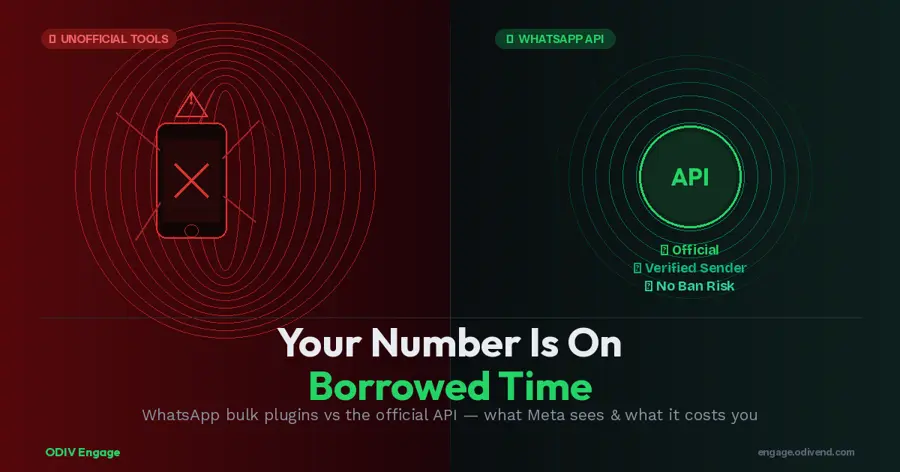
The WhatsApp Business API isn't a workaround. It's the official infrastructure Meta built for exactly this use case: businesses that need to communicate with customers at scale.
Here's the fundamental difference: instead of automating a consumer interface to fake human behaviour, the API connects your messaging operations directly to WhatsApp's servers through a verified, approved pathway. Meta knows what you're sending, knows you're a legitimate business, and has approved your templates in advance.
What the API gives you that plugins can't:
Verified sender status. Your business is vetted by Meta. Recipients see your official business name and profile, not just a phone number. This builds trust and reduces block rates.
Approved message templates. Every outbound campaign uses a pre-approved template reviewed by Meta. This is a compliance gate, not a limitation — it means your messages have already passed a spam filter before they're sent.
Scalable sending tiers. The API uses a tiered messaging system — starting at 250 unique users/day and scaling to 1,000, 10,000, 100,000, and unlimited as your quality rating improves. There's no artificial cap that forces you to cheat. There's a legitimate path to scale.
No ban risk from bulk sending. Because you're operating inside Meta's official infrastructure with consented recipients and approved templates, bulk sending is not only allowed — it's the intended use case.
Analytics and delivery receipts. You see exactly what was delivered, what was read, and what was reported. Plugins give you a send button. The API gives you a business intelligence layer.
Team inbox and automation. Through a Business Solution Provider (BSP) like ODIV Engage, the API connects to a shared inbox for your entire team, bot builders for 24/7 automation, CRM integration, appointment booking, payment flows, and much more. It's not just messaging — it's the foundation of a full customer communication system.
The Consent Requirement is a Feature
One of the most common objections to the API is the opt-in requirement: you can only send broadcast messages to users who have explicitly opted in. This sounds restrictive. In practice, it's what separates high-performing WhatsApp campaigns from spam.
When you message people who wanted to hear from you, your read rates are higher, your block rates are lower, and your quality rating with Meta climbs. Higher quality ratings unlock higher sending tiers automatically. The API rewards genuine relationship-based messaging with the ability to send more of it.
Plugins let you message anyone. The API helps you message the right people — at scale, compliantly, and without the existential risk of a permanent number ban.
Making the Switch: What It Actually Takes
Getting started with WhatsApp Business API is simpler than most businesses expect, especially through an official BSP.
The core requirements are:
- A registered business with valid documentation (GST certificate for India-based businesses)
- A dedicated phone number not currently used on the WhatsApp consumer or Business app
- A website with a privacy policy page
- A Meta Business Manager account with business verification completed
- A BSP like ODIV Engage to manage API access, template approval, and ongoing compliance
Setup typically takes 3-7 business days including business verification and template approval. ODIV Engage offers guided onboarding and will handle the Meta verification process for you if needed.
Plans start from ₹999/month for a full platform including 1 WhatsApp API channel, CRM, broadcast capabilities, and a bot builder. The first 1,000 service conversations per month are free from Meta, and marketing messages are charged on a per-message basis at WhatsApp's official rates.
There's no grey area. No ban risk. No waking up to a red banner and a dead number.
The Bottom Line
The Chrome extension bulk senders were always a shortcut that borrowed against your business's future. In 2025, Meta called in the debt — faster, harder, and more permanently than most businesses expected.
Over 131 extensions were identified and reported for removal. Thousands of users who installed them found their accounts restricted. Some lost their numbers permanently.
The WhatsApp Business API exists because Meta wants businesses on the platform. They built an official, scalable, compliant path for exactly what these extensions were trying to do — just without the deception, the data leakage, and the existential risk.
Your customer relationships are too valuable to build on a foundation that can be pulled out from under you overnight.
Switch to the API. Build it properly. The shortcuts aren't worth it.