Meta is beta-testing an optional, off-by-default Scam Alert on WhatsApp that uses on-device AI to warn users about suspicious messages from non-contacts, without notifying the sender or sending content to Meta. For legitimate businesses, especially those doing cold outreach, this raises a quiet risk: a genuine first message can look statistically similar to a scam and get silently flagged, hurting trust before a conversation even starts.
Meta has started rolling out an optional Scam Alert feature on WhatsApp in a limited beta from 12 August 2026. It uses an on-device AI model to flag messages from non-contacts that look like scams, and it does this without ever notifying the sender. For most Indian consumers, this is a welcome shield. For legitimate businesses messaging customers on WhatsApp, especially anyone doing cold or semi-cold outreach, it's a signal to clean up how you show up in someone's first chat.
What exactly is Meta's new Scam Alert feature on WhatsApp?
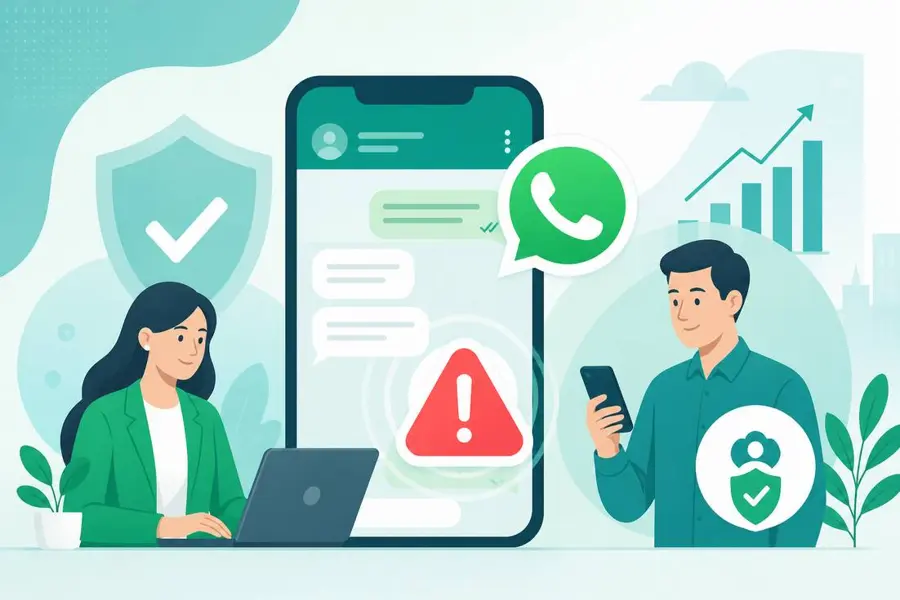
Scam Alert is an optional setting, off by default, that users must switch on themselves inside WhatsApp. Once enabled, WhatsApp downloads a machine learning model onto the phone. That model runs locally and checks incoming messages from people who aren't saved in the user's contacts. If it decides a message matches known scam patterns, it shows an in-chat warning banner visible only to the recipient. The person receiving the warning then gets clear choices: block the sender, report the chat, continue the conversation anyway, or mark the chat as trusted so the warning disappears for future messages in that thread.
How does the on-device AI decide a message looks like a scam?
According to Meta's own description of the system, the model is trained on patterns from scam conversations that users have previously reported to WhatsApp. It looks at conversational structure and linguistic signals commonly associated with fraud, things like urgency, requests for money or codes, unusual link patterns, and the general shape of how scam chats unfold. Crucially, all of this classification happens on the device itself. Meta says message content is not sent to WhatsApp or Meta for scoring, and nothing is automatically reported when a chat gets flagged. This keeps the feature consistent with WhatsApp's end-to-end encryption, since Meta genuinely doesn't see your message content as part of this process.
Does this replace WhatsApp's other scam protections?
No, it sits alongside them. Back in March 2026, Meta rolled out scam detection tools across Facebook, WhatsApp and Messenger that specifically targeted device-linking attempts, warning users when a request to link their account to another device looked suspicious and showing where that request originated. Scam Alert is a different, newer layer focused on message content itself rather than account takeover attempts. Together, they show Meta is building scam defence in layers rather than betting on one single check.
Could a genuine business message get mistaken for a scam?
This is the part worth sitting with. Scam Alert specifically targets messages from non-contacts. A first-time cold outreach message from a business, sent to a lead who hasn't saved that number yet, technically falls into the exact same 'non-contact' bucket the model is scanning. If that message uses urgent language ('limited time offer', 'click this link now', 'confirm your details'), phrasing that's extremely common in genuine sales copy but also common in scam scripts, there's a real chance it could trip similar linguistic patterns. The feature is still in limited beta and Meta hasn't published false-positive rates, so nobody outside Meta knows exactly how conservative or aggressive the model currently is with legitimate commercial messages.
What happens to customer trust when a warning banner appears?
Here's the uncomfortable bit for businesses: the sender is never told their message was flagged. If a customer sees a scam warning next to your business's first message, they may simply block you, ignore you, or report the chat, and you'll have no idea why your reply rate suddenly dropped. There's no feedback loop back to the business. Trust on WhatsApp has always depended on the first impression, a recognisable name, a consistent number, a tone that doesn't feel like a pitch. Scam Alert raises the stakes on that first impression because now an algorithm is silently judging it too, before the human even reads it properly.
Meta says Scam Alert is designed to complement end-to-end encryption, not replace it, by keeping all classification on the user's device.
If you're messaging leads from a personal number or an unverified WhatsApp number, you have zero visibility into whether your messages are being silently flagged by features like this. A verified business number with approved message templates gives you a much more predictable, recognisable footprint in a customer's inbox.
What should Indian businesses do to stay on the right side of this filter?
A few practical habits reduce the odds of looking scam-like to a model trained on scam patterns:
- Message people who have opted in somewhere first (a form, a QR code, a website chat) rather than cold-blasting unknown numbers.
- Use a verified WhatsApp Business account with a proper display name and business description instead of a generic personal number.
- Avoid stacking urgency words and bare links in your very first message; introduce yourself and your business clearly before pitching anything.
- Use pre-approved message templates for outbound outreach rather than freeform text that can drift into scammy phrasing.
- Keep conversations going with the same number consistently, so repeat customers move from 'non-contact' to 'known sender' quickly.
How ODIV Engage helps you build trust before an algorithm has to decide
This is exactly the gap a proper WhatsApp Business Platform setup is built for. ODIV Engage runs on the official WhatsApp Business Cloud API, which means your business messages already carry a verified profile, an approved display name, and Meta-approved templates for outbound outreach, all things that separate a legitimate business from a random unsaved number sending cold text.
Here's what a non-technical business owner can actually set up. First, add a lead-capture form or the website Chat Widget so customers message you first, from your site or a QR code, before you ever message them. That single step flips the relationship: the customer initiates, so you're not a stranger sending unsolicited outreach. Second, use the DIY + AI Vibe Bot Builder to design a calm, clear first-reply flow that introduces your business properly instead of jumping straight into a sales pitch, the kind of tone that reads nothing like a scam script. Third, set up the Automations Builder to send approved welcome templates and follow-ups on a schedule, so your outbound messages stay compliant and consistent rather than improvised. Fourth, route every conversation through the shared team Inbox so replies come from trained staff using your CRM history, not scattered personal chats that look inconsistent to both customers and any scam-detection model watching for patterns. If you want ongoing conversations handled reliably, a trainable AI Agent built on your own FAQs and policies keeps replies grounded in your actual business, not generic promotional language.
You could try building all this on the raw Cloud API yourself, but you'd be handling template approvals, webhook infrastructure, CRM syncing and compliance monitoring on your own, with no support line when something breaks. ODIV Engage gives you all of it already built, verified, and supported, with quick-start plans from Rs 70 a month for simple broadcast or WhatsApp Auth needs, and the full platform, Bot Builder, Automations, CRM, and shared Inbox included, starting at Rs 999 a month on the Starter plan. If you're serious about business messaging on WhatsApp in a world where Meta's AI is now quietly watching every first message, start a free trial and see the setup for yourself at https://engage.odivend.com/pricing.